Hook, Line and Sinker: Phishing Windows Hello for Business
Unknown
Black Hat USA 2024 · Day 1 · Briefing
Overview
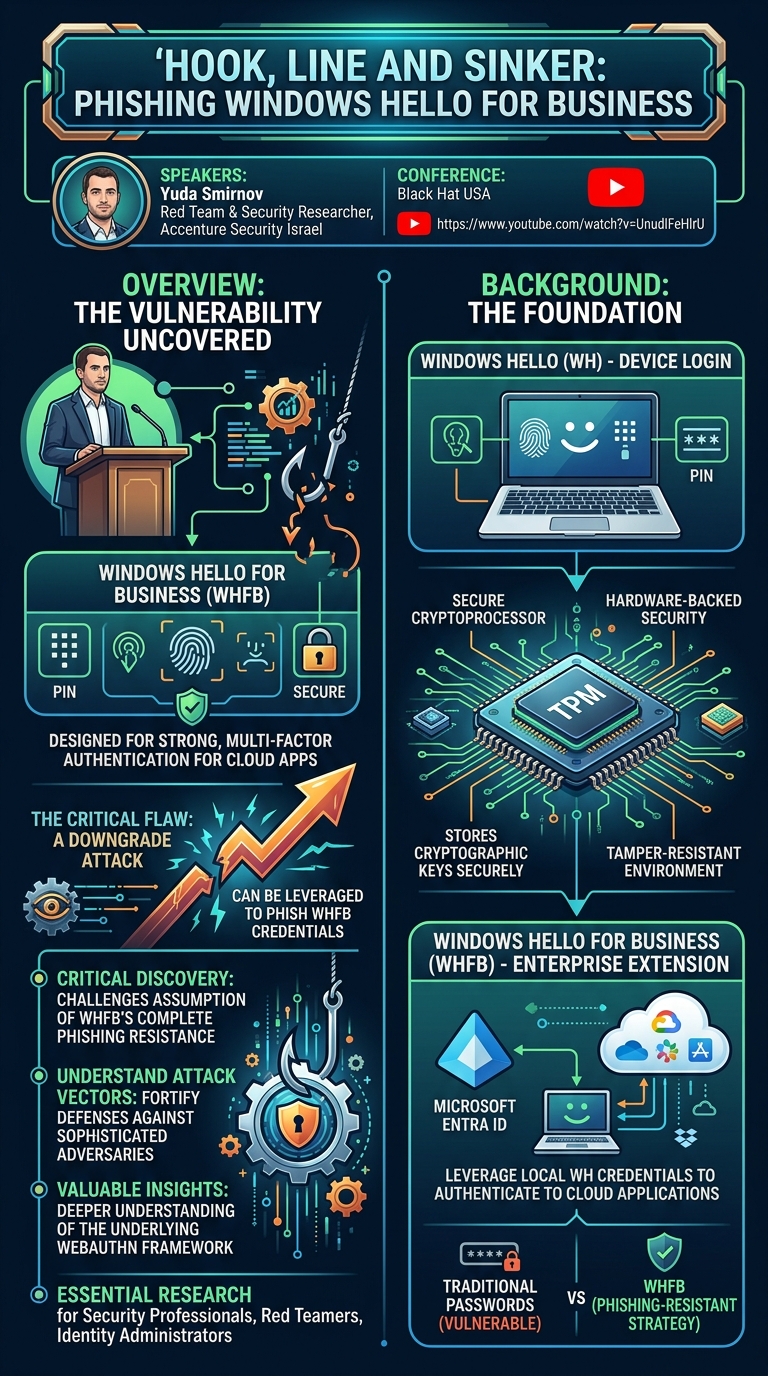
In his Black Hat USA talk, "Hook, Line and Sinker: Phishing Windows Hello for Business," Yuda Smirnov, a red team and security researcher at Accenture Security Israel, delved into the surprising vulnerability he uncovered in what is widely considered a phishing-resistant authentication method. Windows Hello for Business (WHFB) is Microsoft's enterprise-grade extension of Windows Hello, designed to provide strong, multi-factor authentication for cloud applications and services. It leverages hardware-backed security features to protect user credentials, making it a cornerstone of modern identity security strategies.
Key moments
- 0:00 Introduction to speaker and talk agenda
- 1:10 Introducing Windows Hello for Business and downgrade attack
- 2:40 How Windows Hello for Business works
- 4:40 Why Windows Hello for Business is hard to phish
- 5:00 Demonstration of a failed WHFB phishing attempt
- 6:00 Deep dive into WebAuthn API security features
- 7:00 Understanding the WebAuthn API Origin Check
- 8:10 Beginning the discussion on WebAuthn architecture
Hook, Line and Sinker: Phishing Windows Hello for Business
Speakers: Yuda Smirnov, Red Team and Security Researcher, Accenture Security Israel
Conference: Black Hat USA
YouTube: https://www.youtube.com/watch?v=UnudlFeHlrU
Overview
In his Black Hat USA talk, "Hook, Line and Sinker: Phishing Windows Hello for Business," Yuda Smirnov, a red team and security researcher at Accenture Security Israel, delved into the surprising vulnerability he uncovered in what is widely considered a phishing-resistant authentication method. Windows Hello for Business (WHFB) is Microsoft's enterprise-grade extension of Windows Hello, designed to provide strong, multi-factor authentication for cloud applications and services. It leverages hardware-backed security features to protect user credentials, making it a cornerstone of modern identity security strategies.
Smirnov's presentation highlighted a critical flaw: a downgrade attack that can be leveraged to phish WHFB credentials despite its inherent protections. This talk is significant because it challenges the prevailing assumption of WHFB's complete phishing resistance, underscoring that even robust security mechanisms can be circumvented through clever manipulation of authentication flows. For organizations heavily relying on WHFB for their security posture, understanding this attack vector is paramount to fortify their defenses against sophisticated adversaries.
The research presented by Smirnov is crucial for security professionals, red teamers, and identity administrators. It provides a deeper understanding of the underlying WebAuthn (Web Authentication API) framework that powers WHFB, explaining its intended security mechanisms and how they can be subverted. By dissecting the architectural nuances and the specific conditions that enable the downgrade attack, Smirnov offers valuable insights into enhancing the security of enterprise authentication systems and ensuring that the promise of phishing resistance truly holds.
Background
▶ Watch: Introduction to speaker and talk agenda (0:00)
To understand the intricacies of phishing Windows Hello for Business, it's essential to first establish a robust background on the technologies it builds upon: Windows Hello, Windows Hello for Business itself, and the foundational Web Authentication API (WebAuthn).
Windows Hello (WH) is an authentication mechanism integrated into Windows operating systems that allows users to sign in to their devices using biometric data (facial recognition or fingerprint) or a PIN code. A key component enabling this security is the Trusted Platform Module (TPM). The TPM is a secure cryptoprocessor, typically a microchip located on the motherboard or integrated into the CPU, designed to store cryptographic keys and perform cryptographic operations in a tamper-resistant environment. This hardware-backed security ensures that sensitive keys are not stored on the hard disk, making them significantly harder for attackers to extract even if they gain system access. When a user enrolls in Windows Hello, their chosen authentication method (e.g., PIN) is processed, and a cryptographic key is generated and securely stored within the TPM. For subsequent authentications, the user provides their PIN or biometric input, which is then verified by the TPM against the stored key, granting access to the device if matched.
Windows Hello for Business (WHFB) extends the capabilities of Windows Hello to the enterprise environment. While Windows Hello focuses on device login, WHFB enables users to leverage their local Windows Hello credentials (PIN, fingerprint, facial recognition) to authenticate to cloud applications and services, such as Microsoft Entra ID (formerly Azure Active Directory) and other integrated enterprise resources. This means that instead of using traditional passwords, which are susceptible to various attacks like phishing and brute-force, users can authenticate to corporate resources using a strong, hardware-backed credential. The goal of WHFB is to provide a more secure, convenient, and phishing-resistant authentication experience across an organization's digital ecosystem. When a user attempts to authenticate to a cloud application using WHFB, a Windows security pop-up appears, prompting them to select a credential and then prove their identity using their PIN or biometric input.
Beyond the TPM, FIDO keys, also known as physical authenticators, YubiKeys, or passkeys, serve a similar role to the TPM by securely storing cryptographic keys. These are external hardware devices that comply with the FIDO (Fast Identity Online) Alliance standards, offering an alternative or supplementary method for strong, phishing-resistant authentication. They essentially act as portable, hardware-backed security tokens that users can plug into their devices. In the context of WebAuthn, these are often referred to as "physical authenticators."
An important historical note on Microsoft's authentication practices provides crucial context for understanding downgrade attacks. Previously, if a user performed a successful authentication to Azure using a less secure method (e.g., an OTP code), the system would default to prompting that same method for subsequent logins, even if the user was enrolled in stronger, phishing-resistant methods like WHFB. Fortunately, Microsoft has since updated this behavior. Today, the default authentication prompt is for the strongest available method, which is a significant step forward in mitigating certain types of downgrade risks. However, as Smirnov's research demonstrates, other avenues for downgrade attacks may still exist.
The core reason why WHFB and similar methods are considered "phishing-resistant" lies in the Web Authentication API (WebAuthn). WebAuthn is a standardized API published by the W3C and FIDO Alliance, designed to enable strong, public-key-based authentication on the web. Its primary goals are to protect against phishing, reduce the impact in the event of a server breach, and eliminate reliance on password-based attacks. It achieves this by utilizing strong and scoped credentials, which are fundamentally based on public-private key pairs.
WebAuthn's security relies on several key mechanisms:
- Challenge (Nons): When a user attempts to authenticate, the server (e.g., Microsoft Entra ID) generates a unique, cryptographically secure random string called a challenge (or "nonce"). This challenge is valid for a short period (e.g., a few minutes) and is sent to the client. The purpose of the challenge is to prevent replay attacks, ensuring that each authentication attempt is unique and fresh.
- Signature: The client's browser, interacting with the operating system, takes the challenge and uses the user's private key to create a digital signature. This private key is securely stored within the authenticator—either the TPM on the device or a physical authenticator like a FIDO key. The private key never leaves the authenticator, which is a critical security feature. The signature is essentially the challenge encrypted with the private key.
- Origin Check: This is a cornerstone of WebAuthn's phishing resistance. The origin is defined as the protocol (e.g.,
https://), hostname (e.g.,microsoft.com), and port of the website. The browser itself determines and enforces the origin; a malicious web application cannot simply declare itself to bemicrosoft.com. Both the client (browser) and the server rigorously check this origin. If the origin of the requesting website does not match the origin registered with the credential, the authentication will fail. This prevents an attacker onattacker.comfrom tricking the user's authenticator into signing a challenge meant formicrosoft.com. - Assertion: The entire package sent back to the server is called an assertion. This includes the signed challenge, the public key credential ID, and other metadata. It is typically formatted as a URL-encoded JSON object.
- Client Data JSON: Within the assertion, there's a
clientDataJSONfield that explicitly includes both the original challenge and the origin of the request. This redundancy ensures that the server can independently verify that the challenge was signed for the correct origin and that it matches the challenge it originally issued.
The architecture of WebAuthn registration further illustrates its security. Before a user can authenticate with WHFB or a FIDO key, they must first register a credential. For FIDO keys, this typically involves logging in with a username and password (or an existing strong credential), then choosing to create a new credential. A script served to the browser utilizes the WebAuthn API, which is implemented in modern browsers. This API interacts with the client platform (the user's device and browser's user agent) to connect to the authenticator (TPM or physical key). The authenticator then requests an authorization gesture from the user, such as a fingerprint scan or PIN entry. Once this gesture is provided, a new public-private key pair is generated. The private key is securely stored within the authenticator and never leaves it. The public key, along with some metadata, is then sent to and stored by the server.
This public-key architecture is fundamental to WebAuthn's promise to "reduce the impact in the case of a breach." If a server storing these public keys is compromised, an attacker would only gain access to public keys. Since public keys cannot be used to forge signatures without the corresponding private key (which remains securely in the user's hardware authenticator), the attacker cannot impersonate users or perform offline brute-force attacks. This design significantly limits the damage from server-side breaches, contrasting sharply with password hashes, which, if stolen, can be cracked offline.
Key Findings
▶ Watch: How Windows Hello for Business works (2:40)
Yuda Smirnov's central finding is the discovery of a downgrade attack that can successfully phish Windows Hello for Business (WHFB) credentials, a method previously considered robustly phishing-resistant. This directly challenges the established security assurances of WHFB and the underlying WebAuthn framework when confronted with a specific attack vector.
The initial observation that led to this discovery highlights WebAuthn's intended security mechanisms at work. Smirnov demonstrated that when a standard phishing framework attempts to capture WHFB credentials, the process fails as expected. Specifically, when a user navigates to an attacker's website and attempts to use WHFB for authentication, the Windows security pop-up that typically appears will display the attacker's domain (e.g., attacker.com) instead of the legitimate one (e.g., microsoft.com). Crucially, this prompt will also show "no credentials" available, indicating that the WebAuthn origin check has successfully prevented the authenticator from issuing a signature for the malicious domain. This behavior confirms that direct, naive phishing attempts against WHFB are indeed thwarted by the origin-binding properties of WebAuthn.
However, Smirnov’s core contribution is identifying how this robust protection can be bypassed. While the provided transcript segment details the background and the failure of direct phishing, it explicitly states that a method was discovered to fish WHFB "by way of a downgrade attack" (01:20). The essence of this finding is that despite the strong cryptographic assurances and origin checks of WebAuthn, a specific vulnerability allows an attacker to manipulate the authentication flow, forcing the system or the user into a less secure path that ultimately enables credential compromise. The detailed mechanics of how this downgrade attack is executed—the specific steps, any tools used, or the precise interaction exploited to circumvent WebAuthn's origin binding—are not elaborated within the provided 10-minute transcript. However, the finding itself is significant: WHFB's phishing resistance is not absolute and can be compromised under specific, engineered conditions.
Technical Deep Dive
▶ Watch: Demonstration of a failed WHFB phishing attempt (5:00)
The technical foundation of Windows Hello for Business's phishing resistance lies squarely with the Web Authentication API (WebAuthn). As detailed in the background, WebAuthn employs several critical mechanisms to secure the authentication process: the use of public-private key pairs where the private key is hardware-backed (in a TPM or physical authenticator), a server-generated challenge (nonce) that must be signed by the private key, and a stringent origin check enforced by both the browser and the server. These components collectively ensure that a user's credential can only be used to authenticate to the legitimate service (e.g., microsoft.com) and that even if a server were breached, the private keys necessary for impersonation would remain secure on the user's device.
When an attacker attempts a direct phishing attack against a WHFB user, WebAuthn's design effectively neutralizes it. For instance, if a user navigates to malicious-site.com that mimics Microsoft's login page and is prompted to use WHFB, the browser's WebAuthn implementation will recognize that malicious-site.com is not the registered origin for the user's WHFB credential. Consequently, the Windows security prompt that appears will clearly indicate the attacker's domain (malicious-site.com) as the requesting entity and will show "no credentials" available for that origin. This visual cue, combined with the underlying technical refusal of the authenticator to sign a challenge for an unauthorized origin, prevents the attacker from obtaining a valid assertion. The public key credential, being "scoped" to the legitimate origin, simply will not function outside of it. This is the intended and observed behavior, confirming WebAuthn's robust protection against straightforward phishing.
However, the core of Yuda Smirnov's research reveals a method to bypass this protection through a downgrade attack. While the provided transcript focuses on establishing the robust nature of WebAuthn and the failure of direct phishing, it introduces the concept of a downgrade attack as the successful bypass method. The specific technical details of how this downgrade is achieved are not elaborated in the initial 10-minute segment of the talk. This implies that the attack does not directly circumvent WebAuthn's origin binding or extract the private key from the TPM. Instead, a downgrade attack typically involves manipulating the authentication flow to force or trick the user into authenticating via a less secure method, or leveraging a vulnerability in the transition between authentication methods or in the identity provider's configuration.
Common patterns for downgrade attacks in other contexts often involve:
- Protocol Downgrade: Forcing a secure protocol (e.g., HTTPS) to an insecure one (HTTP), though WebAuthn is inherently tied to secure contexts.
- Authentication Method Downgrade: Tricking a system or user into accepting a weaker authentication factor (e.g., password instead of FIDO2, or a one-time passcode instead of WHFB). This could exploit legacy authentication endpoints or misconfigurations.
- Session Hijacking/Manipulation: Capturing a session that was authenticated via a weaker method and then attempting to upgrade it or use it to enroll a new, attacker-controlled credential.
- Exploiting Default Behaviors: As mentioned in the background, early Microsoft behavior of prompting for the last used authentication method could have been a vector. While this specific behavior has been patched, other similar "default" or "fallback" mechanisms might be exploitable.
Without the full transcript detailing the "how it plays out" (01:25), it is not possible to specify the exact technical steps, code, protocols, or architectural weaknesses exploited by Smirnov's downgrade attack. However, the mere existence of such an attack against WHFB suggests a sophisticated understanding of Microsoft's authentication ecosystem, the WebAuthn standard, and potential edge cases or implementation-specific vulnerabilities that allow an attacker to either:
- Circumvent the WebAuthn flow entirely by forcing a different, weaker authentication path.
- Manipulate the environment such that the WebAuthn prompt, despite showing the attacker's domain, can still be leveraged, perhaps by enrolling a new credential under false pretenses or by chaining with another vulnerability.
- Exploit a specific flaw in the WHFB enrollment or recovery process that allows an attacker to register their own authenticator or gain control over a user's existing one after a downgrade.
The talk's title, "Hook, Line and Sinker: Phishing Windows Hello for Business," implies a multi-stage attack where the "hook" might be the initial social engineering, the "line" involves the downgrade, and the "sinker" is the successful credential capture or account takeover. The technical innovation lies in identifying and exploiting the specific weak link in an otherwise strong chain.
Demo / Proof of Concept
▶ Watch: Deep dive into WebAuthn API security features (6:00)
The transcript alludes to a demonstration of the phishing attempt, stating, "we're going to see exactly how it plays out" (01:25). Indeed, the speaker describes the outcome of an initial, straightforward phishing attempt against Windows Hello for Business (WHFB).
In this described scenario, a user visits an attacker's website, which is designed to mimic a legitimate Microsoft login portal. When the user enters their email and attempts to authenticate using WHFB, the system responds with a Windows security pop-up. Crucially, this pop-up displays the domain of the attacker (e.g., attacker.com) rather than the legitimate microsoft.com. Furthermore, the prompt shows that "no credentials" are available for authentication. This demonstration effectively illustrates WebAuthn's core protection mechanism: the origin check. The browser and the underlying WebAuthn API correctly identify that the request for authentication is coming from an untrusted origin, preventing the hardware authenticator (TPM or FIDO key) from signing the challenge.
This serves as a proof of concept for the failure of direct phishing against WHFB, confirming that WebAuthn's design effectively mitigates naive attempts to harvest credentials. It highlights that the user is presented with a clear indication that something is amiss, and the technical mechanisms prevent the credential from being released.
However, the provided 10-minute transcript segment concludes before detailing the actual demonstration or proof of concept for the successful downgrade attack that is the central finding of the talk. While the speaker states that he discovered "a way to fish Windows Hello for Business by way of a downgrade attack" (01:20), the specific steps, tools, or visual outcomes of this successful bypass are not included in the available text. Therefore, based solely on the provided transcript, we can only describe the initial, unsuccessful phishing attempt and acknowledge that the detailed demonstration of the downgrade attack itself is not present.
Defensive Implications
▶ Watch: Beginning the discussion on WebAuthn architecture (8:10)
The discovery of a downgrade attack against Windows Hello for Business (WHFB), despite its phishing-resistant design, carries significant defensive implications for organizations and security professionals. While the exact mechanics of the attack are not detailed in the provided transcript, the very concept of a successful downgrade against a strong authentication method demands a re-evaluation of security postures.
Here are key defensive implications:
- Prioritize Strongest Authentication Methods: Organizations must ensure that their Identity Providers (IdPs), particularly Microsoft Entra ID, are configured to always prioritize the strongest available authentication method for users. While Microsoft has updated its default behavior to prompt for the strongest method, administrators should audit their Conditional Access policies and authentication flows to prevent any legacy or misconfigured paths that could inadvertently allow a downgrade. This includes carefully reviewing fallback options and ensuring they are secured or removed where possible.
- Audit Authentication Flows for Downgrade Vectors: Security teams should proactively map out all possible authentication paths for users accessing critical resources. This involves identifying any points where a user could be redirected to a less secure login page or prompted for a weaker factor. Pay close attention to integration points with third-party applications, VPNs, and legacy systems that might not fully support modern WebAuthn standards or have their own default authentication behaviors.
- Enhanced User Education on Authentication Prompts: While WebAuthn's origin check provides a valuable visual cue (showing
attacker.cominstead ofmicrosoft.com), users might still be susceptible to social engineering. Training should emphasize not just what to look for (the correct URL), but also where the prompt originates (the Windows Security box itself), and the critical importance of verifying the domain within that prompt. Users should be educated that legitimate WHFB prompts will never display an unfamiliar or attacker-controlled domain.
- Implement Robust Conditional Access Policies: Leverage Conditional Access policies in Microsoft Entra ID to enforce strict controls. For high-value applications or sensitive data, consider requiring specific authentication strengths (e.g., "Require multifactor authentication" or "Require FIDO2 security key") and blocking access from untrusted locations or devices. Policies can also be used to detect and block suspicious authentication attempts indicative of a downgrade, such as attempts to use weaker credentials from unexpected IP addresses or user agents.
- Monitor Authentication Logs for Anomalies: Implement comprehensive logging and monitoring of authentication events within Microsoft Entra ID and other IdPs. Look for unusual patterns, such as:
- Frequent failed attempts using weaker authentication methods for users enrolled in WHFB.
- Unexpected changes in a user's primary authentication method.
- Authentication attempts originating from suspicious IP addresses or geographical locations, especially if they involve a downgrade.
- Rapid succession of authentication attempts across different methods.
Advanced SIEM solutions and behavioral analytics can help detect these subtle indicators of attack.
- Regularly Review and Update Security Configurations: The landscape of authentication security evolves rapidly. Organizations should regularly review their WHFB and WebAuthn configurations, ensuring all components are up-to-date and patched against known vulnerabilities. Stay informed about new attack techniques and apply recommended security baselines from Microsoft and other security vendors.
- Consider FIDO2 for the Strongest Phishing Resistance: For the highest level of phishing resistance, deploying FIDO2 security keys (physical authenticators) where feasible offers an additional layer of protection. These devices are purpose-built for WebAuthn and are generally less susceptible to certain software-based downgrade manipulations than integrated TPMs, depending on the specific attack vector.
The takeaway is that even "phishing-resistant" technologies are not infallible. Defenders must adopt a multi-layered approach, combining robust technical controls with continuous monitoring and effective user education, to truly secure their authentication ecosystem against sophisticated adversaries employing downgrade attacks.
Key Takeaways
- Windows Hello for Business (WHFB) is designed as a phishing-resistant authentication method for enterprise cloud applications, leveraging hardware-backed security.
- The Web Authentication API (WebAuthn) is the underlying framework that provides this phishing resistance through strong, scoped, public-private key-based credentials and critical mechanisms like the origin check.
- Direct phishing attempts against WHFB are typically thwarted because WebAuthn's origin check prevents authenticators (TPM or FIDO keys) from signing challenges for unauthorized domains, as demonstrated by the
attacker.comprompt showing "no credentials." - Despite these robust protections, a downgrade attack against WHFB has been discovered, demonstrating that its phishing resistance is not absolute and can be bypassed under specific, engineered conditions.
- Organizations must implement comprehensive defensive strategies, including auditing authentication flows, enforcing strong Conditional Access policies, enhancing user education, and continuous monitoring for anomalies, to mitigate the risks posed by such downgrade attacks.
- The research underscores the importance of a deep technical understanding of authentication protocols and their implementations, as vulnerabilities can exist even in seemingly secure systems through subtle manipulation of expected behaviors.
About the Speaker(s)
Yuda Smirnov is a Red Team and Security Researcher at Accenture Security Israel. His professional interests lie in continuous learning and research, particularly focusing on Windows and Active Directory environments, and anything else he finds technically intriguing. He possesses strong development skills in C and C# and has experience with assembly language. Outside of his security work, Yuda enjoys surfing and playing tennis. Notably, he also has a unique background, having served as an ex-private investigator and an ex-detective in the military, experiences that likely contribute to his analytical and investigative approach to security research.